Someone sends your bot a blurry photo with "sell pls" — no price, no contacts, no category. You ask three follow-up questions. They ghost you for two hours, then send everything as one unformatted wall of text. Multiply that by 50 submissions a day.
That's the surface problem. The real one runs deeper.
Every business that collects data through a Telegram bot — job postings, property listings, deal submissions, support requests, event registrations — hits the same wall: data comes in through the bot, but needs to go somewhere else. A channel post. A CRM record. A webhook to a spreadsheet. Sometimes all three at once. And without automation, a human being is the integration layer — reading, deciding, copy-pasting, formatting, publishing. Manually. Every. Single. Time.
A telegram bot form fixes the intake. But the real value is in what happens after submission: automated moderation, condition-based routing, and actions that fire on approval — publishing to the right channel, pushing data to your CRM, triggering an AI workflow. That's not a form. That's a telegram data pipeline.
This guide covers how telegram bot forms work, what the Action Engine does (the part most tools ignore), and three ways to set one up — from writing code to launching in five minutes.
What a Telegram Bot Form Actually Does
If you're searching "create form in telegram bot" for the first time, here's the concept in plain terms.
A telegram form bot is a conversational interface inside Telegram that guides users through structured fields — one at a time — to collect complete, formatted submissions. Think of it as a smart questionnaire that lives inside a Telegram chat, not on an external website.

The typical flow:
1. User taps "Submit" (or sends /start to the bot)
2. The bot asks the first question — with button options (no typing required)
3. Follow-up questions adapt based on answers: description, price, photos, contacts
4. Each field is validated — required fields can't be skipped, text length is enforced
5. The completed submission enters a processing pipeline
What happens at step 5 is where tools diverge — and where most of them stop.
The old way: Form → Admin → Manual everything
With basic form bots, the submission lands in an admin's inbox. The admin reads it, decides where it goes, formats a post, publishes it to the channel, and maybe logs it somewhere. Every submission is a manual loop.
The pipeline way: Form → Moderation → Action Engine
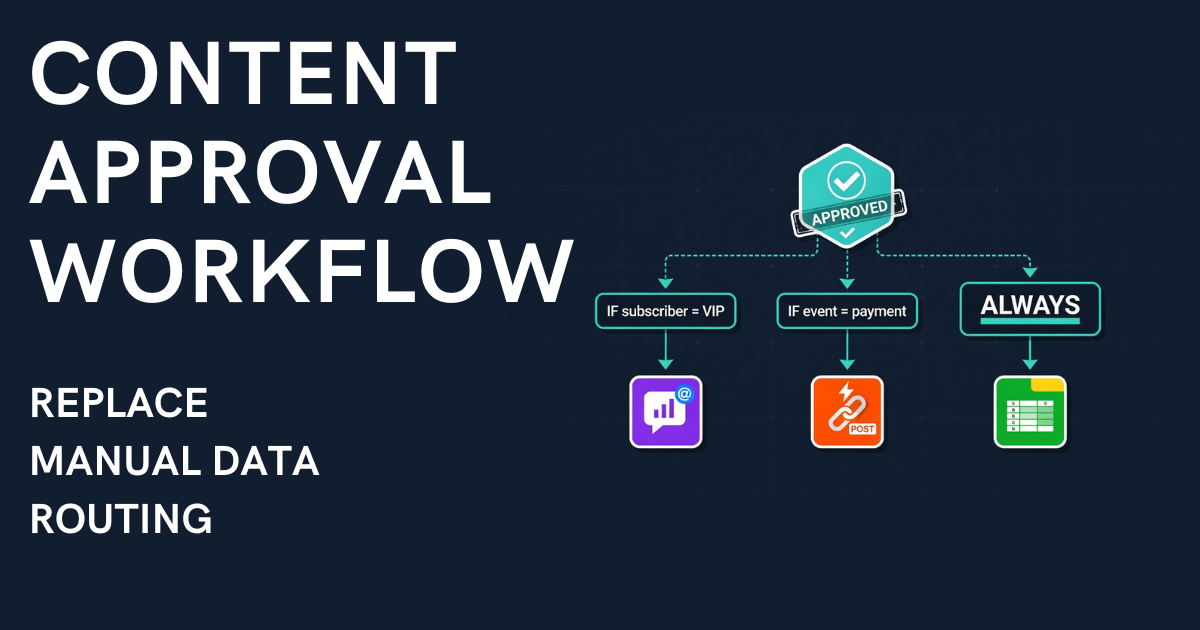
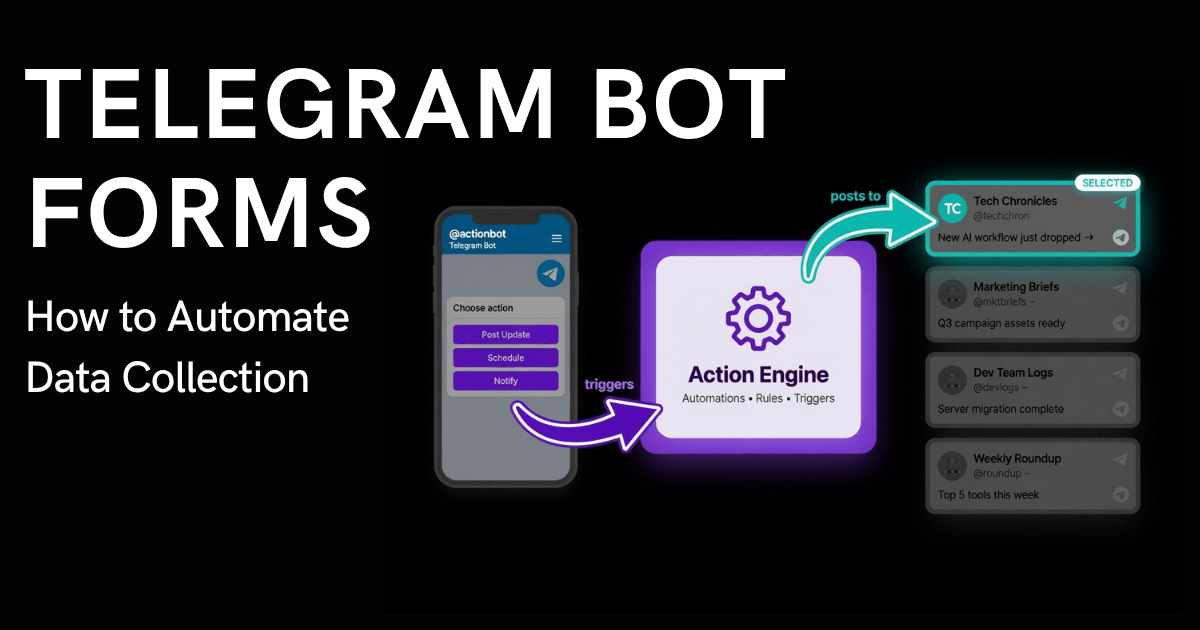
Modern telegram bot platforms treat the form as just the entry point. After moderation (approve, reject, or edit), an Action Engine fires — automatically executing one or multiple actions based on configurable rules:
• Publish to Channel A — if condition X matches
• Publish to Channel B — if condition Y matches
• Send webhook to CRM — always, or conditionally
• Trigger an AI agent via MCP server
Each action has its own conditions. When a submission matches "Category A," the engine fires the right publish action and skips the rest. No manual sorting. No copy-pasting between channels. No human router.
This is the difference between a form builder and a telegram data pipeline. The form collects. The Action Engine routes.

How this compares to alternatives
Raw DMs — no structure, no queue, no formatting. Everything manual, every time.
Google Forms — technically work, but break the Telegram experience. Data lands in a spreadsheet, not your publishing workflow. You still copy-paste into the channel.
Telegram's native Suggested Posts (Bot API updates) — a step forward, but no custom fields, no moderation queue, no routing. If you need anything beyond "let users suggest raw text," you need a proper telegram form bot with an automation layer.
5 Use Cases Where Telegram Bot Forms Save Hours Daily
1. Recruitment Agencies (Multi-City Job Boards)
A vacancy form captures: city (buttons), job description, salary, requirements, and recruiter contact. On approval, the Action Engine publishes the formatted listing to the correct city channel AND optionally logs the data to a tracking spreadsheet via webhook. One submission, automatic routing, zero manual channel selection. That's a telegram bot for business that pays for itself from day one.
Template fields: City (buttons), vacancy description, salary range, work format (buttons: office/remote/hybrid), contact
2. Real Estate Firms (Multi-Channel Listings)
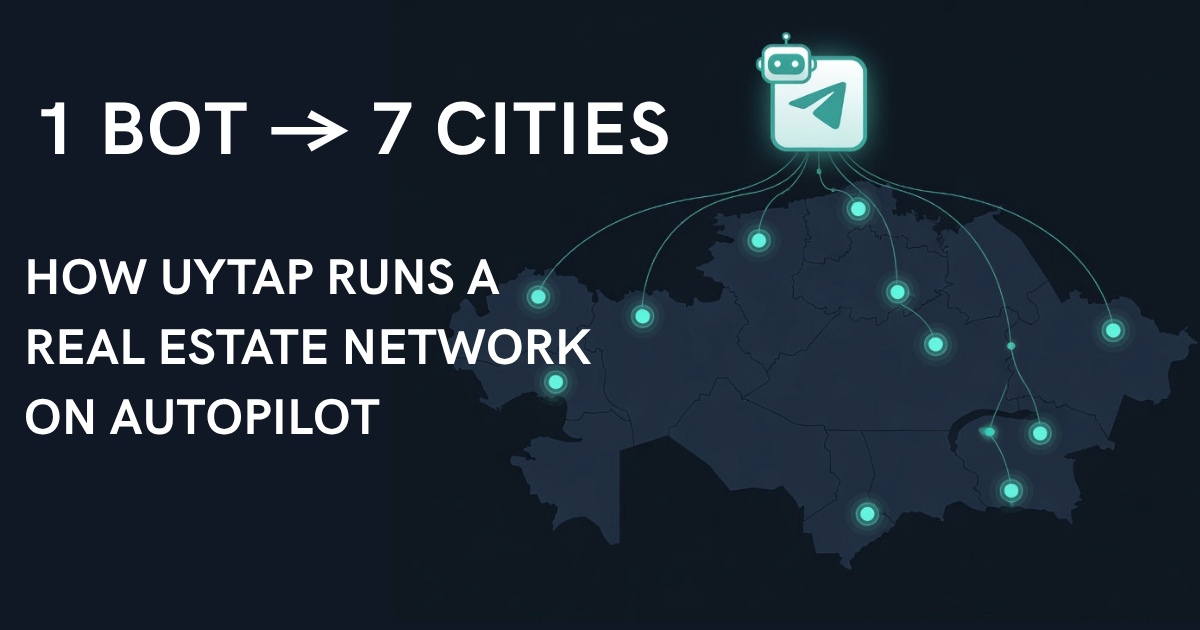
Property submission forms capture: transaction type (sale/rent), property type, bedrooms, district, price, photos, and agent contacts. On approval, the Action Engine routes the listing to the correct channel AND logs it to the CRM via webhook. One click replaces four manual steps per listing.
Template fields: Transaction type (buttons), property type (buttons), bedrooms (buttons), district, area, price, description, photos (3-10), agent contact
3. Crypto OTC Trading Channels
A structured deal form captures asset type, volume, price, terms, and seller contacts. With auto-approve for trusted submitters and manual review for new ones, the channel maintains deal flow velocity without sacrificing quality. The Action Engine simultaneously publishes to the public channel and logs the deal to a compliance spreadsheet. This content approval workflow runs 24/7.
Template fields: Deal type (buttons: buy/sell), asset, volume, price, terms, contact
4. Customer Feedback and Support Intake
Any business can use a telegram bot form to collect structured support tickets, bug reports, or NPS feedback. The form captures: issue type (buttons), priority (buttons), description, screenshot, and contact info. On approval, a webhook pushes the ticket into the company's helpdesk or project tracker — HubSpot, Zoho, Notion, or any system with an API. This is how you automate data collection without forcing users onto another app.
Template fields: Issue type (buttons), priority (buttons), description, screenshot (opt.), contact
5. Community Channels and UGC at Scale
City news channels, "Overheard" formats, classifieds — the original telegram bot form use case. A category field alone transforms intake: submitters choose "news," "incident," "question," or "ad" before writing anything. Admins filter and prioritize without reading every message. Combined with auto-formatting templates, telegram channel automation keeps the feed consistently professional without per-post effort.
Template fields vary by niche — Easy Post offers 14 community-focused templates covering classifieds, reviews, dating, lost and found, events, Q&A, and more.
How to Create a Form in a Telegram Bot (3 Approaches)
1. Custom Development (Python / aiogram / Telethon)
Complete control. Any logic, any database, any workflow. The tradeoff: you need a developer, hosting, monitoring, and ongoing maintenance. A basic bot takes days. A production system takes weeks.
Best for: teams with dev resources and requirements no existing tool covers.
2. General Bot Builders (PuzzleBot, Botmother, SaleBot)
Visual constructors — drag and drop fields, set conditions, configure responses. These are legitimate no code form builder platforms. The gap: no Action Engine. No way to say "on approve, publish here AND webhook there." You assemble the chain from disconnected pieces.
Best for: technically comfortable admins with a single channel.
3. Purpose-Built Channel Tools (Easy Post)
Easy Post is built for the full loop: structured data collection, moderation, and automated action routing. Pick a niche template (from 30 options), connect your bot, and the pipeline is ready.
The core differentiator is the Action Engine. On approval, the system fires one or multiple actions — each with conditions:
• channel_publish — auto-format and post to any connected channel
• webhook — HTTP POST to any endpoint (Google Sheets, HubSpot, Notion, Salesforce, Zoho)
• MCP signal — trigger an AI agent workflow

For AI-native teams, Easy Post's MCP server means the entire pipeline can be controlled from Claude or Cursor. A telegram business bot platform that works as both a human dashboard and an AI-agent interface.
Best for: businesses with multiple channels or data that needs to flow beyond Telegram.
Comparison: 3 Approaches
Custom Bot
Setup: Days to weeks
Forms: Yes (code it)
Moderation: Build yourself
Publishing: Build yourself
Action Engine: Build yourself
Webhooks: Build yourself
Multi-channel: Build yourself
MCP / AI-agent: Build yourself
Code required: Yes
Bot Builder
Setup: Hours
Forms: Yes (visual config)
Moderation: Not included
Publishing: Partial
Action Engine: Not available
Webhooks: Not available
Multi-channel: Manual
MCP / AI-agent: Not available
Code required: No
Easy Post
Setup: Under 5 minutes
Forms: Yes (30 templates)
Moderation: Built-in
Publishing: Automated
Action Engine: Multi-action + conditions
Webhooks: Any endpoint
Multi-channel: Condition-based routing
MCP / AI-agent: Native
Code required: No
Setting Up Your First Telegram Bot Form
Total time: under 5 minutes.
Step 1: Create a project on Easy Post (30s)
Sign in at easy-post.app and create a project. You get a shared bot (t.me/easy_post_publisher_bot) instantly — no setup needed. Want your own branded bot? Create one via @BotFather and paste the token — BYO bot on Pro tier.
Step 2: Add bot as admin to your channels (30s)
In each channel's settings, add the bot as admin with permission to post.
Step 3: Pick a template (1 min)
Choose from 30 pre-built form templates: 14 community/UGC and 16 business templates (HR, crypto OTC, real estate, support tickets, events, expenses).
Step 4: Configure fields and Action Engine (2 min)
Adjust fields — required/optional, buttons, photo uploads. Set actions: channels to publish to, webhook URLs, routing conditions.
Step 5: Share and go live
Share t.me/your_bot in your channel description. Submissions flow into the moderation queue. Hit approve — Action Engine handles the rest.
Demo: GulfHire — Recruitment Agency With 2 City Channels
A real working setup on Easy Post: GulfHire, a recruitment agency posting job vacancies across the UAE.
The setup (under 5 minutes): 1 project, 1 bot form ("Post a Vacancy"), 2 channels (@GulfHireDubai, @GulfHireAbuDhabi), 2 Action Engine rules.
The form collects three fields:
1. City — buttons: Dubai / Abu Dhabi
2. Vacancy — free text (20-2,000 chars): position, company, salary, requirements
3. Contact — how to apply (email / phone / Telegram)
Three fields, under 60 seconds.

Action Engine rules:
Action: → Dubai | Condition: city = "Dubai" | Result: Publishes to @GulfHireDubai
Action: → Abu Dhabi | Condition: city = "Abu Dhabi" | Result: Publishes to @GulfHireAbuDhabi
What happens when a recruiter submits a Dubai vacancy:
1. Submission enters the moderation queue
2. Admin reviews and hits Approve
3. Action Engine evaluates: city = "Dubai"
4. → Dubai fires — vacancy publishes to @GulfHireDubai
5. → Abu Dhabi skips — condition doesn't match
Published post template: 📢 {vacancy} 📍 {city} 📩 {contact}
Real stats from the live setup: 4 submissions processed. Each action executed 2 times — 1 fire, 1 skip. Condition-based routing working exactly as designed.
Scaling up: Add a third channel and a third action with a new condition. Add a webhook to log every approved vacancy to Google Sheets. Add an "always" action to cross-post to a main channel. The form stays the same — you just add actions.
Try it yourself → t.me/GulfHireBot | Set up your own →
Frequently Asked Questions
Can I create a form in a Telegram bot without coding?
Yes. No code form builder tools like PuzzleBot and Easy Post offer drag-and-drop form editors. The difference: general builders handle the form, but you assemble moderation and publishing yourself. Easy Post includes the full pipeline out of the box.
What's the best telegram form bot for business?
For a single channel, a general bot builder works. For multiple channels or CRM webhook integration — where data routes based on conditions — you need a telegram bot platform with an Action Engine.
Can a telegram bot form send data to Google Sheets, HubSpot, or a CRM?
Yes. The Action Engine webhook sends an HTTP POST with structured data to any URL on approval. Google Sheets, HubSpot, Notion, Salesforce, Zoho — anything that accepts webhooks receives the data automatically.
Conclusion
Telegram is no longer just a messaging app. For millions of businesses, it's where customers, partners, and teams interact. Every business collecting data through Telegram needs that data to flow somewhere useful after collection.
A telegram bot form is the entry point. The Action Engine — with condition-based routing, webhooks, and multi-channel publishing — is what actually replaces manual work.
Stop being the manual integration layer between Telegram and everything else. Your time is better spent on decisions, not data entry.