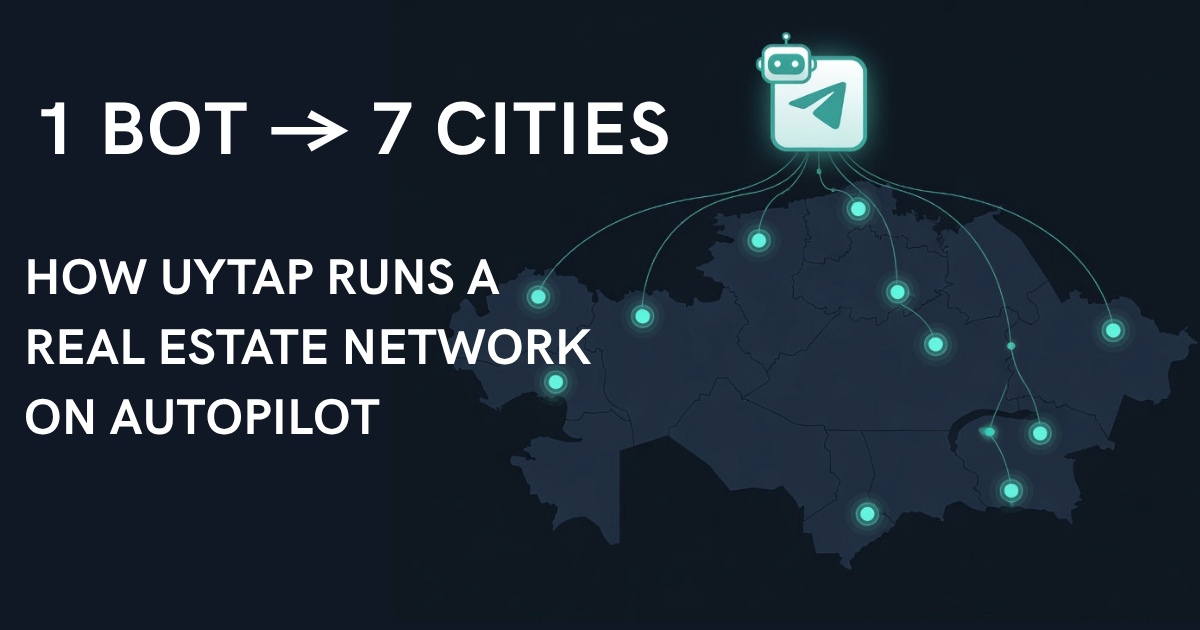
This is a walkthrough of a working demo built on Easy Post — a fully functional setup. Its routing half you can build yourself (seven routes from one form need the Business plan); its autopilot half runs on an add-on that no customer plan includes. A real estate network covering 7 cities in Kazakhstan, managed through a single Telegram bot, with automatic routing and a daily autopilot post in every channel.
Setting up the routing project took under 10 minutes, and the autopilot about 10 more. It runs two projects in parallel: one collects property listings from agents and routes them to the correct city channel, the other publishes fresh real estate listings daily to keep every channel active. One bot, 7 cities, zero manual routing after the initial setup. A moderator still reviews each listing.
If you manage multiple Telegram channels — whether it's real estate, job boards, classifieds, or any multi-city operation — the routing half of this case shows what's possible without code, without a team, and without third-party integrations.

The Problem: Multi-City Real Estate on Telegram
Real estate in Kazakhstan is booming — and Telegram is where people look for apartments. Agents and property owners want to reach buyers and renters in their specific city: Almaty, Astana, Shymkent, Karaganda, Aktobe, Atyrau, Aktau.
The obvious approach: create a separate Telegram channel for each city. But that creates an operational headache:
• How do listing submissions get to the right city channel?
• Who moderates 7 channels worth of incoming listings?
• How do you keep all 7 channels active when submission volume varies by city?
• How do you manage this without hiring a dedicated admin?
UyTap solves all four problems with two Easy Post projects working in parallel.
Project 1: Routing — One Form, 7 Destinations
The first project handles incoming listings. One Telegram bot form collects all submissions, and the Action Engine routes each one to the correct city channel automatically.
The form
Agents interact with a single bot. The form walks them through 7 fields:
1. City — buttons: Almaty / Astana / Shymkent / Karaganda / Aktobe / Atyrau / Aktau
2. Listing type — buttons: Selling / Buying / Renting out / Looking to rent
3. Property type — buttons: Apartment / House / Commercial
4. Price — text (in tenge)
5. Description — text (district, rooms, details, 10–800 chars)
6. Photos — up to 10 photos (optional)
7. Contact — phone or Telegram
Every field uses buttons where possible — the agent taps instead of typing. The entire submission takes under 60 seconds.
The routing
7 Action Engine rules — one per city. Each rule checks the "city" field and publishes to the matching channel:
→ Almaty → @uytap_ala
→ Astana → @uytap_ast
→ Shymkent → @uytap_shym
→ Karaganda → @uytap_krg
→ Aktobe → @uytap_aktb
→ Atyrau → @uytap_atr
→ Aktau → @uytap_aktu

When an agent submits a listing for Almaty:
1. The submission enters the moderation queue
2. Admin reviews and taps Approve
3. Action Engine checks all 7 rules — city = "Almaty" matches
4. → Almaty fires — listing publishes to @uytap_ala
5. The other 6 rules skip — conditions don't match
One tap. One destination. Automatic. The admin never picks a channel manually.
Run several channels, one per city? Easy Post for channel admins shows how the bot takes the intake off your hands.
Published post format:
{listing_type} | {property_type}
💰 {price} tg
📍 {description}
📞 {contact}
Project 2: Autopilot — Daily Posts to Keep Channels Active
The routing project handles incoming listings. But what about days when no one submits in Aktau or Atyrau? Empty channels lose subscribers.
The second project solves this: 7 autopilot workflows, one per city channel. Each publishes a fresh real estate listing every morning at 09:00 local time (Asia/Almaty timezone).

The posts are real estate listings for that city, taken one at a time from a pool that a separate workflow fills daily. Each post links back to the original listing. They keep the channel relevant between user submissions.
The autopilot doesn't replace user submissions — it fills the gaps. When real listings come in through routing, they publish alongside the autopilot posts. The channel stays active either way.
The Full Picture: Two Projects, One Network
Here's how the two projects work together:
Project 1 (Routing): Agent submits listing → moderation queue → approve → Action Engine routes to the correct city channel
Project 2 (Autopilot): Every morning at 09:00 → next listing from the pool → publishes to each city channel
Both projects publish to the same 7 channels. The routing project handles real listings. The autopilot project keeps channels alive. Together, they create a multi-city real estate network on Telegram where routing and daily posting run on their own.
How to Build This Yourself
The routing part of the UyTap setup was built on Easy Post without code. Here's the sequence:
Step 1: Create the routing project
Create a project, pick the Real Estate template. The form comes pre-configured with property fields. Add your city buttons.
Step 2: Create 7 channels
Create a Telegram channel per city. Add the bot as admin to each.
Step 3: Set up 7 Action Engine rules
One rule per city: condition = city field equals "City Name", action = publish to that city's channel. Seven actions on one form need the Business plan; Pro allows four.
Step 4: The autopilot project (not available on customer plans)
UyTap runs a second project on the same 7 channels with Content Generation switched on and a daily schedule, 09:00 per channel. Content Generation is an add-on reserved for Easy Post's own admin accounts: no customer plan includes it, so you cannot switch it on yourself.
Step 5: Share the bot
Drop the bot link in each channel's description. Agents start submitting. You moderate and approve.
Time to set up: under 10 minutes for the routing project.
For more on no-code form builders and content approval workflows, see our guides. For the technical architecture behind the Action Engine, see Telegram bots for business.
What This Means for Your Multi-Channel Operation
UyTap is real estate in Kazakhstan. But the pattern works for any multi-channel setup:
• Recruitment agencies — route vacancies by city or department to separate channels
• Classifieds — route listings by category (electronics, vehicles, services) to dedicated channels
• Community networks — route news by city to local channels
• Crypto OTC — route deals by asset type to specialized channels
The formula is the same: one bot form collects everything and the Action Engine sorts it. Scaling from 4 cities to 7 took 30 seconds per city — because you add actions, not code.