Managing a Telegram channel isn't about writing one more post. It's about a system that handles everything happening around the channel: incoming submissions from subscribers, content moderation, data routing to the right places, monetizing audience activity.
Most admins get stuck at manual management. Every listing, vacancy, or request flows through DMs, gets copy-pasted into the channel, sometimes duplicated into a spreadsheet or CRM. At 50 submissions per day, this becomes a full-time job that prevents you from actually growing the channel.
This article covers how to set up Telegram channel management so routine operations run automatically and the admin only makes the key decisions.
What Telegram Channel Management Includes
If a channel is a feed of publications, then channel management is everything around that feed:
• Accepting submissions from subscribers (listings, vacancies, requests, registrations)
• Moderation — what to publish, what to reject
• Routing — where things go (the right channel, CRM, spreadsheet)
• Publishing schedule — frequency, timing, content balance
• Submission monetization — paid placement, instant publishing, featured posts
• Inbound flow analytics — where submissions come from, which convert
Management isn't about creating content (that's a different problem). It's about handling everything that happens once the channel becomes popular and the audience starts interacting with it.
Structured Submission Intake
The first bottleneck in management is incoming messages. If a subscriber sends a listing as a DM with no structure, every subsequent step is manual.
The solution is a structured form inside a Telegram bot. The subscriber taps "Submit," the bot walks them through fields: title, price, city, photos, contact. Each field is required or optional. Buttons replace text input where possible.
What this changes:
• Submissions arrive complete — no follow-up questions
• Format is unified — channel publishing is auto-formatted
• Spam is filtered out — required fields block empty submissions
• Submission takes 60 seconds — completion rate goes up vs long forms
More on how these forms are configured — in the dedicated guide.
Moderation Queue Replaces DM Chaos
When submissions are few, DMs work. When there are 30+ per day, it becomes constant context-switching between conversations, forgotten submissions, and lost context.
A moderation queue replaces DMs: all submissions in one list, each with a status (pending, approved, rejected), multiple admins can work the same queue. Decision per submission — one tap.
The main advantage is visibility. In DMs you don't know how many submissions are waiting. In a queue it's immediately visible. The team can distribute workload, track productivity, identify bottlenecks.
Automatic Routing of Approved Submissions
Here's where real time savings begin. After a submission is approved, it needs to reach where it'll be useful — the channel, the agency CRM, the tracking spreadsheet, the notification system.
Without automation, this is a sequence of manual steps: copy, format, publish, switch to CRM, enter data, switch to spreadsheet, log. 5–10 minutes per submission.
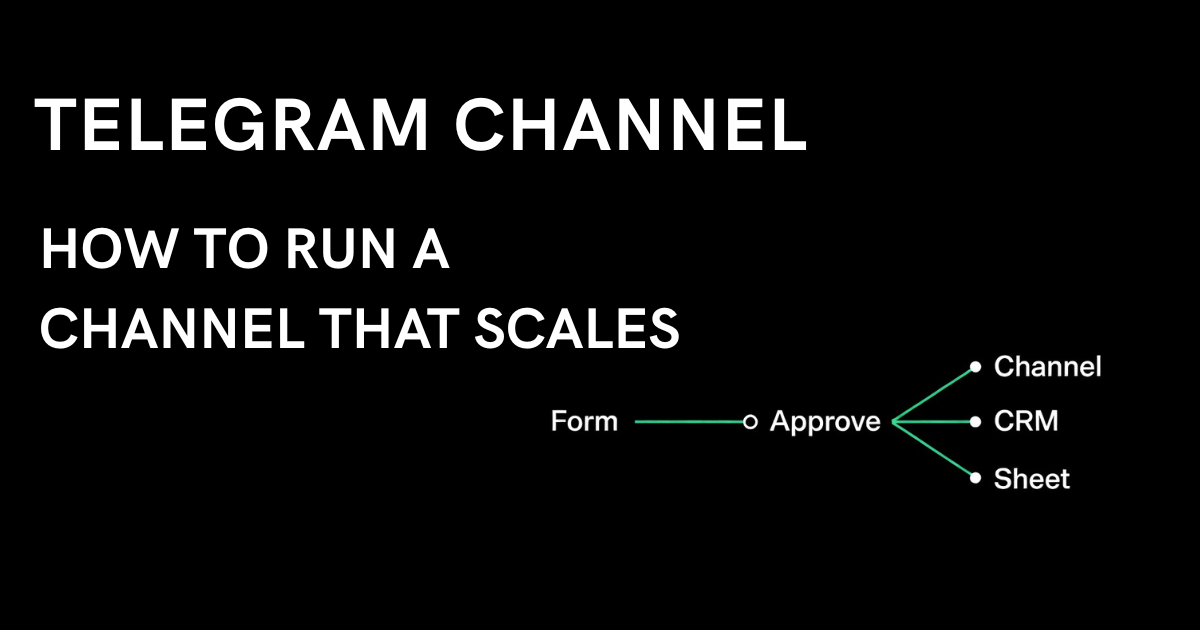
With automation: one tap on "Approve," and the Action Engine fires — publishing to the correct channel based on conditions (e.g., by city or category), sending a webhook to CRM, logging to the spreadsheet, triggering an AI agent. In parallel. Without admin involvement.
Real example: a real estate channel network in Kazakhstan runs 7 city channels through one form. The subscriber selects a city in the form, and on approval the submission goes to the right city channel automatically. The admin never manually picks where to publish. Full case study →
Publishing Schedule: The Channel Shouldn't Spam
Even if the form works perfectly and there are many submissions — you can't publish them all at once. A channel that pushes 30 posts per hour loses subscribers faster than it gains them.
Publishing management solves this: approved submissions go out on a schedule — for example, 5–10 posts per day, evenly distributed. Each listing gets its own time and visibility. The channel stays active without being annoying.
This creates a side effect — monetization becomes possible. If the baseline is 1 post per hour, then a paid "publish immediately" option has value for those who need fast visibility.
Monetization: Channel as Product, Not Just an Ad Slot
A channel that accepts structured submissions through moderation can earn beyond ads. Subscribers are willing to pay for priority access:
• Instant publishing — pay to skip the queue
• Featured placement — pinned post or special formatting
• Verified status — trust badge next to the listing
• Premium channel — paid access to a separate feed with the best offers
Payments go through Telegram Stars natively — no banking integration, no subscription software. Additional payment formats are on the roadmap.
Real example: FisHub — a fishing equipment classifieds channel with 1,300 subscribers — recently started accepting paid instant publishing. First transactions came through within days. The channel now earns from both sides: ads and paid submissions. Read more →
What About Outbound Content
Channel management is about the inbound flow: submissions, moderation, routing. But the channel also needs to publish its own content — articles, news, updates, reviews. That's outbound flow, and automating it is a separate task.
For outbound content, there are tools like InviteUp: AI-generated posts based on channel topic, monthly content plans, performance analysis with recommendations, contests, battles (two images with voting), cross-posting across a channel network.
If your channel mixes admin-published content with subscriber submissions, it makes sense to use both tools. InviteUp handles what you publish yourself. Easy Post handles what gets sent to you.
Where to Start
Channel management isn't built in a day. But you don't need to automate everything at once. Start with the most painful spot.
If you're drowning in DMs — set up a structured form. This kills 80% of the chaos on day one.
If you have multiple city or category channels — set up condition-based routing. One bot for the entire network.
If the channel is growing and submission volume is increasing — add a paid instant-publishing option. That's the first step toward monetization.
If you have a team of admins — put up a moderation queue. Everyone sees the same picture.
All of this configures in Easy Post in 5 minutes. No code, no hosting, no Zapier. Free tier to start, advanced features on paid plans.