Every no code form builder can collect data. Almost none can decide what happens next.
Typeform collects your responses into a spreadsheet. JotForm sends an email notification. Google Forms dumps everything into Google Sheets. Then — the manual work begins. Someone reads the submission, decides where it goes, copies it into the right system, formats it for publishing, and hits send. For one submission, that's fine. For fifty a day, across multiple channels, it's a full-time job nobody signed up for.
Now add Telegram to the equation. A billion monthly active users. Over 20 million public channels. And zero native form builders. Businesses that collect data through Telegram — job listings, property ads, deal proposals, event registrations — are stuck choosing between raw DMs from followers and external web forms that pull users out of Telegram entirely.
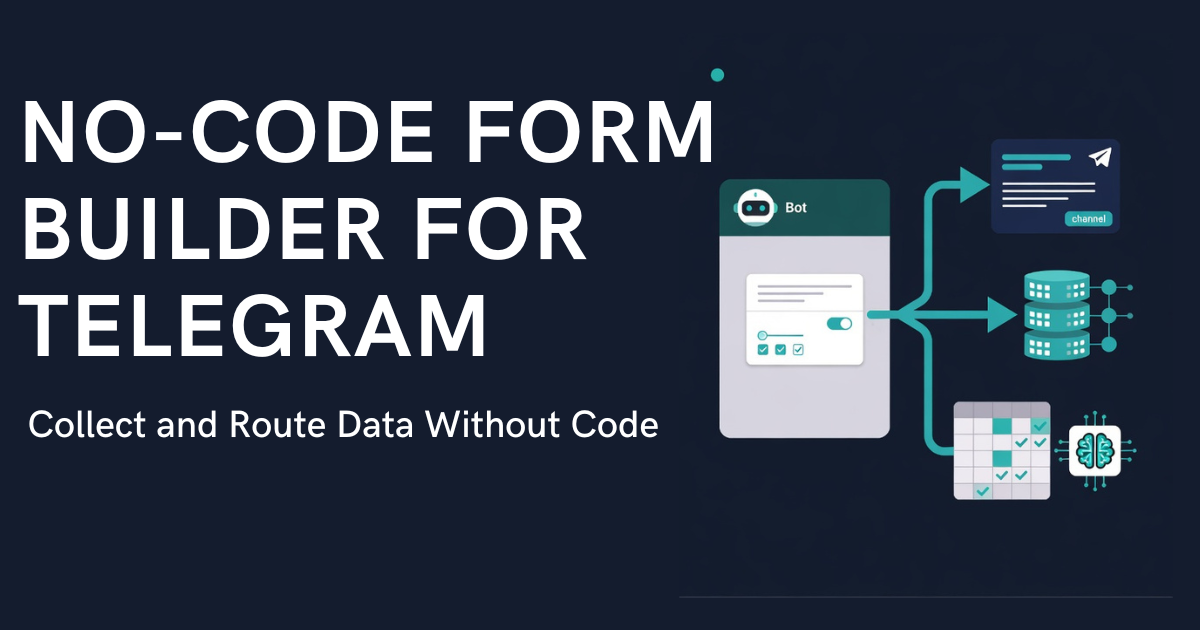
A no code form builder designed for Telegram solves both problems at once. The form lives inside the bot. The user never leaves the chat. And when the submission is approved, an Action Engine fires — publishing to a Telegram channel or sending the data by webhook to your own system. Publishing takes no code; a CRM or a Google Sheet needs a receiver on the other end, such as an n8n, Make, or Zapier scenario. No manual copying.

What "No-Code" Means — and Where Most Form Builders Stop
If you're searching for a no code form builder, you probably know the basics: drag-and-drop field editors, conditional logic, validation rules, and some kind of notification when data comes in. Typeform, Tally, JotForm, Google Forms — they all do this well.
The problem isn't building the form. The problem is what happens after submission.
A job listing collected through Google Forms still needs to be manually forwarded — to a Telegram channel or a CRM. A property submission from JotForm still requires someone to route it to the right city feed. A crypto deal proposal from Typeform still needs an admin to review, format, and distribute across systems.
Most no code form builders treat collection as the finish line. But for businesses that collect data through Telegram, collection is step one of a five-step pipeline: collect → moderate → route → act → log. The four steps after collection are where all the manual work lives.
There's a second problem specific to Telegram: external forms break the user experience. When a follower taps a Google Forms link in your channel description, they leave Telegram, open a browser, fill out a form, and return. On mobile — where most Telegram usage happens — this friction kills completion rates. A native telegram bot form keeps the user inside the chat, walking them through fields one at a time with button taps. No app switching. No browser.
The combination — a no-code form editor that runs natively inside Telegram AND triggers post-submission actions automatically — doesn't exist in generic form tools. It requires a telegram bot platform built specifically for this workflow.
Run a channel that takes listings, jobs or rentals? Easy Post for channel admins shows how the bot takes the intake off your hands.
No Code Form Builder Comparison — Google Forms, Typeform, and Telegram-Native Tools
Here's where the tools actually diverge. The comparison isn't about form quality — they all build decent forms. The comparison is about what happens between "submit" and "data arrives where it needs to be."
Feature | Google Forms | Typeform | Tally | JotForm | Easy Post |
|---|---|---|---|---|---|
No-code form editor | ✅ | ✅ | ✅ | ✅ | ✅ (47 templates) |
Native Telegram bot | ❌ | ❌ | ❌ | ❌ | ✅ |
User stays in Telegram | ❌ | ❌ | ❌ | ❌ | ✅ |
Moderation queue | ❌ | ❌ | ❌ | Approvals (by email) | ✅ |
Multi-destination routing on approve | ❌ | Zapier | ❌ | Zapier | ✅ (Action Engine, Pro plan and above) |
Publish to Telegram channel | ❌ | ❌ | ❌ | ❌ | ✅ (one of many actions) |
Webhook to CRM / spreadsheet | Zapier | Webhook (manual) | Webhook (manual) | Webhook (manual) | ✅ (Pro plan and above) |
MCP / AI-agent trigger | ❌ | ❌ | ❌ | ❌ | ✅ (agent picks it up over MCP, Business plan) |
Google Forms, Typeform, Tally, JotForm — all excellent for surveys and lead capture on websites. But none of them operate inside Telegram. And more importantly — none of them can publish a submission to a Telegram channel natively. That step needs a third-party tool such as Zapier, custom code, or a person doing it manually.
Easy Post is a no code form builder that keeps the form, the review of each submission, and what happens after approval in one place — from the Telegram bot form to moderation to publishing in channels, with a webhook for your own systems. Try it free →
The Action Engine — What Happens After "Submit"
The core differentiator isn't the form. It's what fires when an admin hits "Approve."
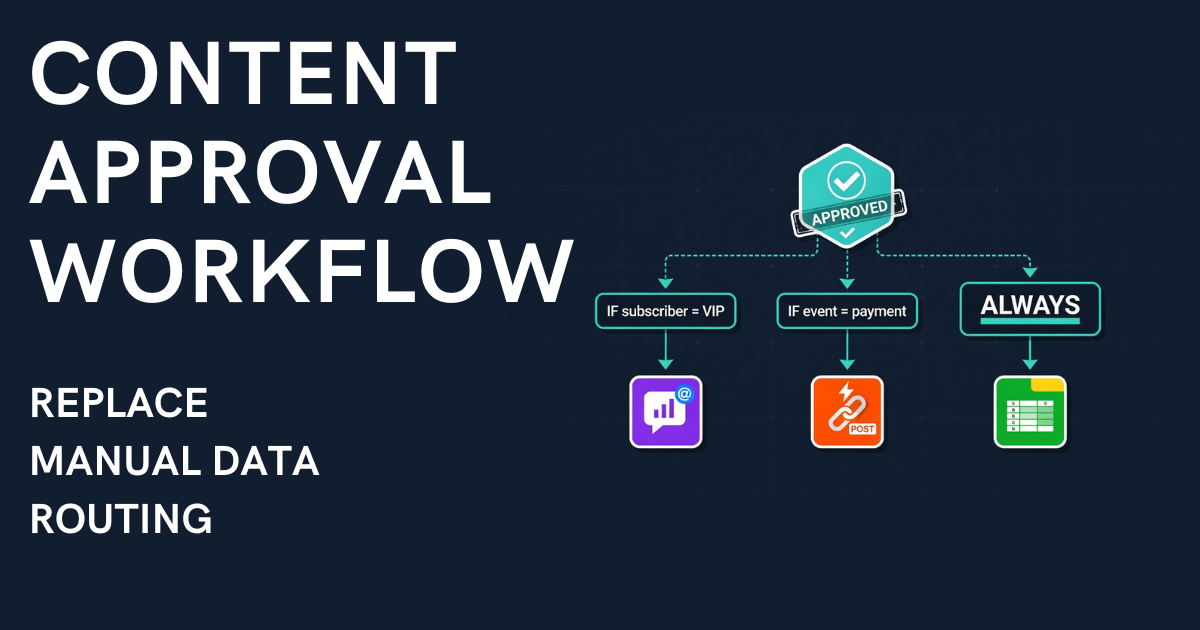
The Action Engine is a configurable set of rules that execute automatically on approval. Each action has a type, a target, and optional conditions. Several actions can fire from a single approval: one on the Free and Starter plans, up to four on Pro, no limit on Business.
Here's a practical example:
Form field: "Category" = Buttons [Sale, Rent, Exchange]
Action 1: If category = "Sale" → publish to @channel_sales Action 2: If category = "Rent" → publish to @channel_rent Action 3: Always → webhook: the submission goes as JSON to the URL you set
One tap on "Approve" — the submission routes to the correct channel based on category AND goes to your system by webhook. Google Sheets cannot take that request itself, so a receiver such as a Make or n8n scenario or an Apps Script writes the row. Three actions, as in this example, need the Pro plan. No manual sorting. No copy-pasting between channels. No human router.
This is the difference between a form builder and a no code workflow automation platform. The form collects. The Action Engine routes. Together, they automate data collection end-to-end.

For a detailed walkthrough of how telegram bot forms work — including the full form-to-publish pipeline, a comparison of three setup approaches, and a live demo — see our complete guide.
See It in Action — Real Working Demos
Instead of hypothetical examples, here are real setups running on Easy Post right now:
GulfHire — a recruitment pipeline for the UAE that routes job vacancies to Dubai and Abu Dhabi channels based on a city field. 3 form fields, 2 Action Engine rules, condition-based routing working in production. Try the bot →
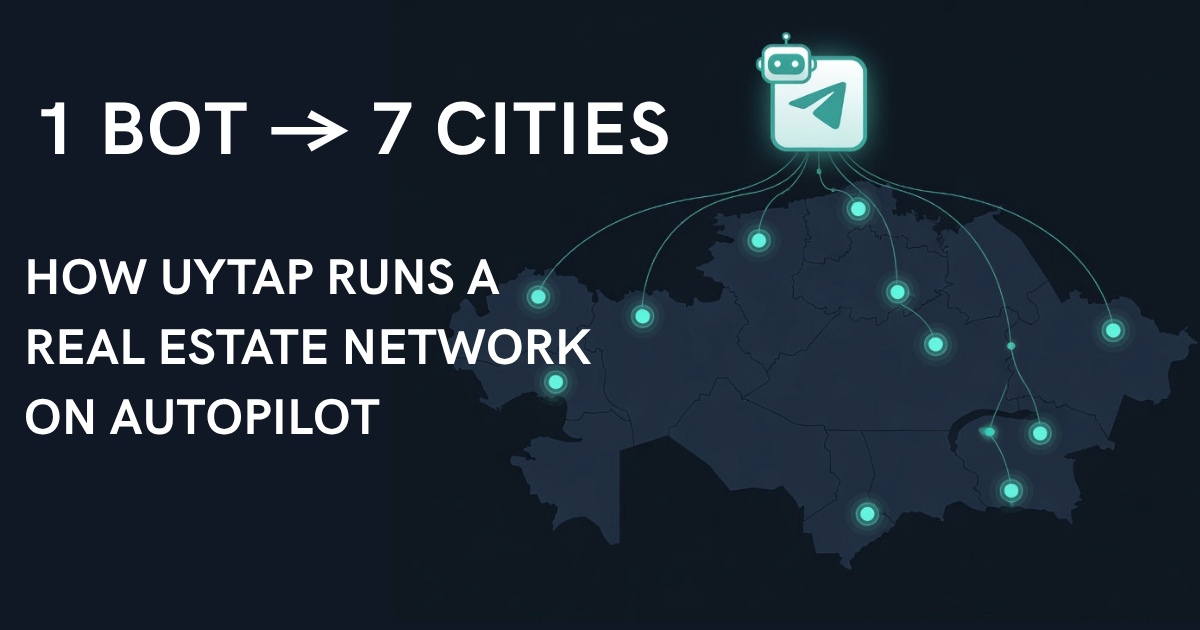
UyTap — real estate classifieds in Kazakhstan, routing property listings to 7 city channels (Almaty, Astana, Karaganda, Shymkent, Aktau, Atyrau, Aktobe) by the city field. 7 form fields, 7 Action Engine rules.
Full walkthroughs: the GulfHire demo and the UyTap case study.
Setting Up a No-Code Telegram Form in Under 5 Minutes
If you've used any no code form builder before, this will feel familiar — except the form lives inside Telegram.
Step 1: Create a project on Easy Post (30s) Sign in at easy-post.app and create a project. You get a shared bot instantly — no BotFather, no tokens, no setup. Want your own branded bot? Create one via @BotFather and paste the token (Starter plan and above).
Step 2: Decide where submissions go (30s) Every submission is saved in your Easy Post dashboard. To also publish to a Telegram channel, add the channel's link in the pipeline's settings (Edit Pipeline) and make the bot an administrator with permission to post.
Step 3: Pick a template (1 min) Choose from 47 pre-built form templates: 23 community/UGC templates (classifieds, reviews, events, Q&A, lost and found) and 24 business templates (HR, crypto OTC, real estate, support tickets, expenses).
Step 4: Configure fields and Action Engine (2 min) Adjust fields — required/optional, button options, photo uploads, text limits. Set actions: Telegram channels to publish to, a webhook for your CRM or spreadsheet (Pro plan and above), routing conditions. All through the UI.
Step 5: Share and go live Copy the bot link from your pipeline's page in Easy Post (the "Bot connected" block) and put it in your channel description. On the shared bot only that link opens your form: a plain t.me link without ?start=... does not. Submissions flow into the moderation queue. Hit approve — Action Engine handles the rest.
No Python, no aiogram, no server hosting: the form, the review, and publishing to a channel run inside Easy Post. Sending data to outside systems goes through a webhook, and your side receives it.
Frequently Asked Questions
What's the best no-code form builder for Telegram?
For the full pipeline — form → moderation → condition-based routing to channels, with a webhook (Pro plan and above) for your own systems — Easy Post covers it without code. Generic form builders like Typeform and JotForm work great for web-based surveys, but they don't operate inside Telegram.
Can I use Typeform or Google Forms with a Telegram channel?
You can share a link. But users leave Telegram to fill the form, data lands in a spreadsheet, and publishing to your channel is still manual. If your audience and your content both live in Telegram, a native telegram bot form eliminates the friction.
Does Easy Post require any coding?
No. Templates, a visual field editor, and a UI-based Action Engine handle the setup. Sending data to a CRM or spreadsheet needs a receiver for the webhook, such as an n8n, Make, or Zapier scenario. For developers and AI-native teams: Easy Post also offers an MCP server with more than 40 tools (Business plan).
How is this different from Telegram's native Suggested Posts?
Suggested Posts (launched July 2025) let subscribers propose a post to a channel; the owner can approve it, decline it, or suggest changes. There are no custom fields, no conditions, no routing and no webhooks. If you need structured data — job listings with salary fields, property ads with photos and districts, deals with asset types — you need a form builder on top.
The No-Code Gap That Nobody Filled — Until Now
The no-code movement made form building accessible to everyone. Drag, drop, publish — anyone can create a survey or a lead capture form in minutes.
But building the form was always the easy part. The hard part — moderating submissions, routing them to the right destinations, publishing to channels, pushing to CRMs, triggering workflows — stayed manual. Especially on Telegram, where no generic no code form builder even operates natively.
Easy Post fills that gap. One tool, from the form to a published post, or to your own system by webhook. No code on the Easy Post side.