Most Telegram bots do one thing — respond to messages. A welcome bot greets new subscribers. A FAQ bot answers common questions. A notification bot pushes alerts. Useful, but limited. The bot reacts. A human still does the actual work.
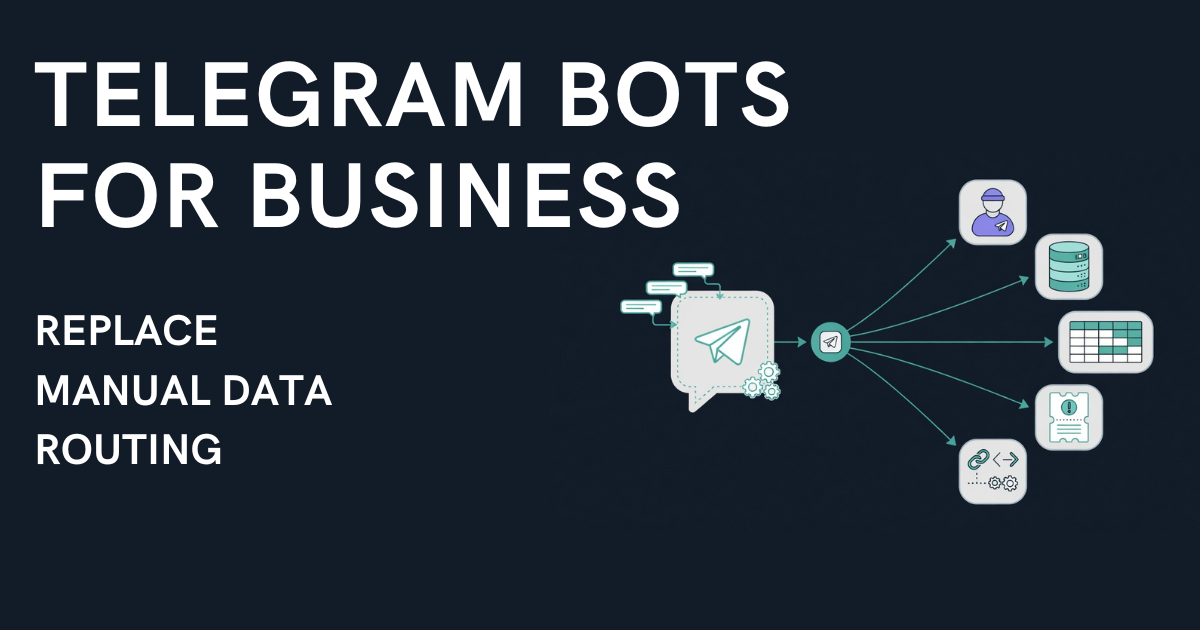
The shift happens when a telegram bot for business stops being a responder and becomes an intake layer — collecting structured data from users, routing it through moderation, and firing actions on approval: publishing to a channel or sending the data on to your own system by webhook. No copying by hand between "submitted" and "done."
That's not a chatbot. That's a telegram business bot running a data pipeline.
This guide walks through five B2B workflows where Telegram bots replace hours of daily manual work — with structured forms, condition-based routing, and an Action Engine that runs the actions you set up after the admin hits "Approve."

Why Telegram Is Becoming a Business Operations Tool
Telegram crossed 1 billion monthly active users in 2025. But the more relevant number for businesses is this: over 20 million public channels and growing. In markets across Central Asia, the Middle East, Eastern Europe, and Latin America, Telegram isn't just a messenger — it's where businesses operate.
Recruitment agencies post vacancies. Real estate firms list properties. Trading desks publish deals. Support teams collect tickets. And in every case, the pattern is the same: data arrives through Telegram, but needs to reach systems beyond Telegram — CRMs, spreadsheets, project trackers, AI agents.
Generic chatbot builders handle the conversation part. But the gap between "user submitted data" and "data arrived where it needs to be" remains manual. A telegram bot for business that closes this gap needs three things most bots lack: structured forms, a moderation queue, and an action engine that routes approved data to the right channel or, by webhook, to your own system.
Run a channel that takes listings, jobs or rentals? Easy Post for channel admins shows how the bot takes the intake off your hands.
5 Business Workflows Powered by Telegram Bot Forms
1. Recruitment — Multi-City Vacancy Pipeline
A recruitment agency operates across multiple cities. Every vacancy needs to reach the right city channel AND get logged in the hiring tracker.
The manual way: Recruiter sends vacancy details via DM. Admin reads, decides the city, formats the post, publishes to the correct channel, then copies the data into a spreadsheet. Per vacancy: 5–10 minutes. At 30 vacancies/day: 2.5–5 hours of admin time.
The automated way: A telegram bot form collects city (buttons), job title, salary range, requirements, work format (office/remote/hybrid), and contact. On approval, the Action Engine fires:
• Channel publish — routes to the correct city channel based on the city field
• Webhook — sends the vacancy as JSON to your URL; to land as a row in Google Sheets or an HR database it needs a receiver such as an n8n or Make scenario, an Apps Script, or your own API
One approval → two destinations. The form enforces structure. The routing is automatic. The recruiter never picks a channel manually.
The city routing in this workflow is what runs in the GulfHire demo — a live setup on Easy Post routing vacancies between Dubai and Abu Dhabi channels.
2. Real Estate — Property Listings Across City Channels
A real estate agency manages listings across multiple cities. Each property needs to appear in the right city channel, and agent data needs to flow into the CRM.
The manual way: Agent sends photos and a text blob via DM. Admin asks follow-up questions (price? district? sale or rent?), formats the listing, publishes to the right channel, then enters the data into the CRM. Per listing: 10–15 minutes.
The automated way: A structured form collects transaction type (sale/rent), property type, city, district, price, description, photos (up to 10), and agent contact. On approval:
• Channel publish — routes to the correct city channel based on the city field
• Webhook — sends the listing data as JSON to your URL; there are no ready-made HubSpot, Salesforce or Zoho integrations, so a receiver (n8n, Make, Zapier, or your own code) has to map the fields into the CRM
Every listing is complete on submission. No follow-up questions. No manual CRM entry.
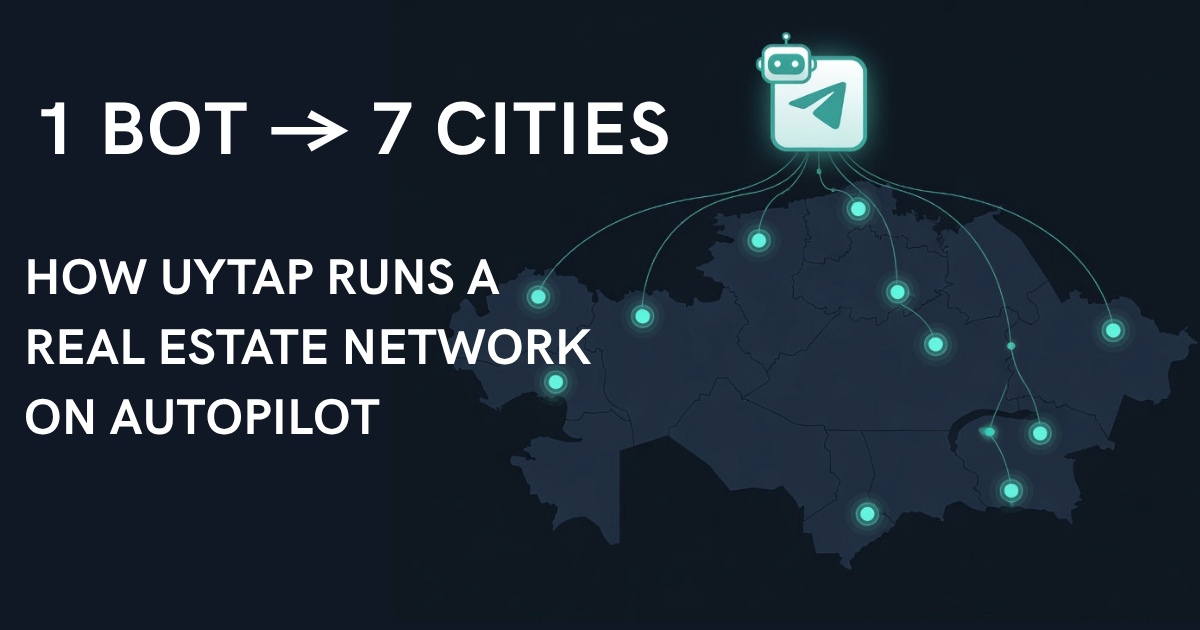
The city routing in this workflow is what runs in the UyTap demo — routing property listings across 7 city channels in Kazakhstan.
3. Crypto OTC — Structured Deal Flow
An OTC trading channel processes dozens of buy/sell proposals daily. Each deal needs to be posted in the public channel and logged for compliance.
The manual way: Trader DMs the admin with deal details — sometimes a single line, sometimes a paragraph, never in a consistent format. Admin reformats, publishes, and records the deal manually.
The automated way: A deal form collects deal type (buy/sell buttons), asset, volume, price, terms, and contact. On approval:
• Channel publish — posts the formatted deal to the trading channel
• Webhook — sends the deal data as JSON to your URL, where a receiver can log it in a compliance spreadsheet or database
Consistent formatting on every deal. Every deal stays in Easy Post with its status, and the webhook can pass a copy to your own records. The content approval workflow runs 24/7 — deals don't wait for an admin to be online to get formatted.
4. Support Intake — Tickets From Telegram to Helpdesk
A business uses Telegram as its primary customer communication channel. Support requests need to flow into the helpdesk system — not stay trapped in a chat thread.
The manual way: Customer describes their problem in a DM. Support agent reads, creates a ticket in HubSpot/Zoho/Notion manually, copies the details, assigns priority. Context gets lost. Tickets get missed.
The automated way: A support form collects issue type (buttons: bug, feature request, billing, other), priority (buttons: low, medium, high), description, screenshot (optional), and contact. On approval:
• Webhook — passes the ticket to a helpdesk (HubSpot, Zoho, Notion) through a receiver such as an n8n or Make scenario, or your own code
• Channel publish (optional) — posts a summary to an internal support log channel
This is how you automate data collection without forcing customers onto another app. They stay in Telegram. The data goes where your team actually works.
5. Events — Registration and Routing by Format
A community or business runs both online and in-person events. Registrations need to be sorted, published to the right feed, and logged for follow-up.
The manual way: People send "I want to register" via DM. Admin asks what event, collects their info, manually adds to a list, posts an update to the channel.
The automated way: A registration form collects event name, date, format (online/in-person buttons), description, and contact. On approval:
• Channel publish — routes to the online events channel or the local events channel, based on format
• Webhook — sends the registration data as JSON to your URL; a receiver passes it on to a spreadsheet or CRM for follow-up
One form. Automatic sorting. No manual channel selection.
The Pattern: Form → Moderate → Route Everywhere
All five workflows follow the same architecture:
1. Structured intake — a no code form builder inside a Telegram bot collects exactly the fields you need. Buttons eliminate typing errors. Required fields eliminate incomplete submissions.
2. Moderation queue — every submission waits for review before anything fires, unless you switch on auto-approve for an action. Approve, reject, or edit. The admin stays in control.
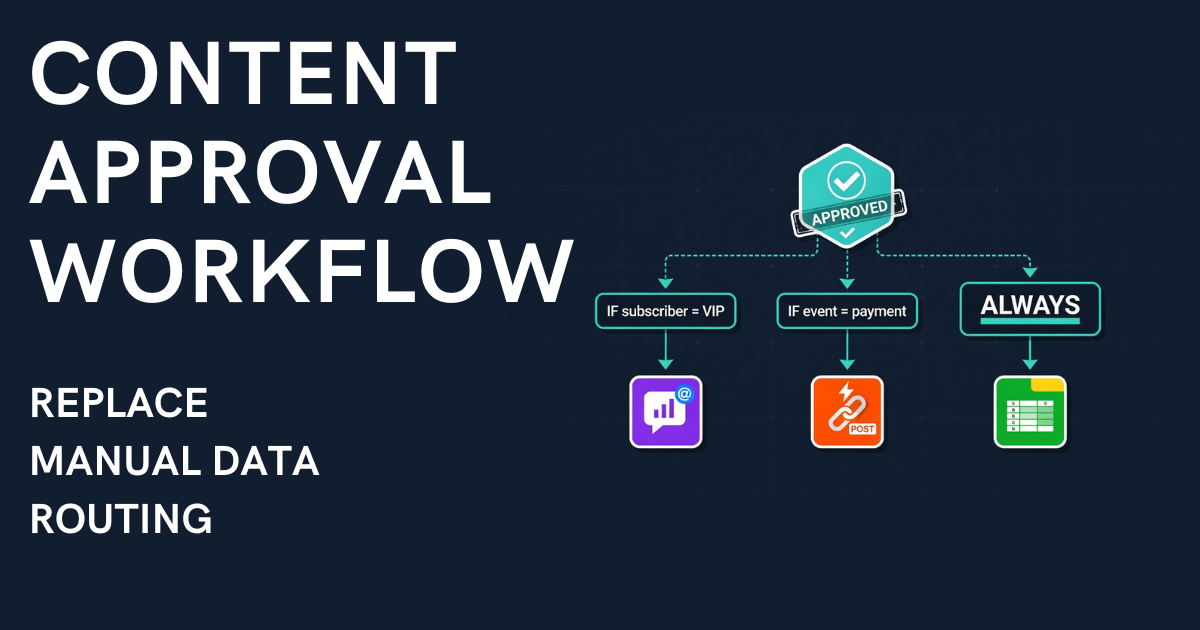
3. Action Engine — on approval, several actions can fire: one on the Free and Starter plans, up to four on Pro, no limit on Business. Each action has its own type (channel publish, webhook, MCP signal) and optional conditions. One approval → multiple destinations.
This is what separates a telegram business bot from a generic chatbot. The bot doesn't just collect — it routes and publishes. Publishing to a channel is set up without code. The webhook is too, but on the receiving side, in a CRM or spreadsheet, you need a middle step such as n8n, Make, or Zapier, or a developer.

Setting Up a Business Workflow in Under 5 Minutes
Step 1: Create a project on Easy Post. You get a shared bot instantly — no BotFather setup needed on the Free plan. On Free, approved submissions can be published to one channel or simply kept in Easy Post. The webhook that all five scenarios above rely on starts at the Pro plan ($19/mo, up to four actions per form); a form that routes to five or more places, such as four city channels plus a webhook, needs Business ($49/mo).
Step 2: Decide where submissions go: they are always saved in your Easy Post dashboard, and to also publish to a Telegram channel you add the channel's link in the pipeline's settings (Edit Pipeline) and make the bot an admin there.
Step 3: Pick a template. 47 pre-built templates cover HR, real estate, crypto OTC, support tickets, events, expenses, and more.
Step 4: Configure the Action Engine — set channels, webhook URLs, and routing conditions. All through the UI.
Step 5: Share the bot link from your pipeline's page in Easy Post (the "Bot connected" block): on the shared bot, a plain t.me link without ?start=... does not open your form. Submissions flow into the moderation queue. Approve → Action Engine handles the rest.

No Python. No hosting. Publishing to a channel needs no other tools; a CRM or spreadsheet needs a receiver for the webhook, such as an n8n, Make, or Zapier scenario. For developers and AI-native teams: Easy Post also offers an MCP server with more than 40 tools for full pipeline control from Claude or Cursor (Business plan).
Frequently Asked Questions
What's the best telegram bot for business?
It depends on the workflow. For collecting structured data and routing it to multiple destinations (channels, CRMs, spreadsheets) on approval — Easy Post does its part without code; a CRM or spreadsheet needs a receiver for the webhook (Pro plan and above). For custom conversational bots with complex branching logic, a developer-built solution gives more flexibility.
Can a Telegram bot replace a CRM?
For taking requests, often yes. Everything the bot collects is stored in Easy Post: a list of submissions with statuses, photos and the applicant's contact. You approve in the dashboard or with a button right in Telegram. For many teams that is enough and nothing else needs connecting. If your team already keeps clients in a CRM or a spreadsheet, on the Pro plan and above an approved submission can go there by webhook — your own scenario or a developer has to receive it on the other side.
How many channels can I route to from one bot?
Each channel is a separate action in the Action Engine, and the number of actions per form depends on the plan: one on Free and Starter, four on Pro, no limit on Business. Add conditions to route based on form field values, or set actions to "always" for cross-posting to every channel.
Does this work for teams?
Yes. Multiple admins can access the moderation queue. The shared bot or BYO bot serves as the single intake point — the Action Engine handles distribution regardless of who approves.
Stop Being the Integration Layer
Every business that collects data through Telegram has the same bottleneck: a person reading submissions, deciding where they go, and manually routing them to the right systems. That person is the integration layer — and they shouldn't be.
A telegram bot for business with structured forms and an Action Engine replaces that manual loop. Data comes in structured. Routing happens on approval. A channel gets the finished post, and your webhook address gets the submission as JSON; passing it on to a CRM or spreadsheet is up to your own scenario.
Five workflows. One pattern. Zero manual routing.