
An owner DMs you three kitchen photos captioned "Selling 2-bed, call me": no floor, area, district or price. An hour later an agent sends the same apartment, and another the next day. You chase the missing details, retype each ad into the channel, and sold apartments stay up.
A property for sale ad form asks every seller the same questions, so every ad arrives in the same format. This article is for property channel admins and anyone collecting ads from owners; for a single ad of your own, you need only the sample post below. Easy Post is a website where you build the form (the no-code form builder guide compares the options). Sellers fill it in inside Telegram, in the shared Easy Post Bot, so you need no bot of your own. Each ad reaches you as one Telegram message, the "card", with Approve, Reject, Edit and Delete buttons; Approve posts it to your channel. Easy Post calls a seller's entry a "submission" and the ready-made Real Estate Sale form a "template".
Easy Post is not a property portal or classifieds site: buyers get no filters or map, and the channel stays a feed. It does not verify ownership, documents, liens or price, or draw up a sale contract. You cannot edit a posted ad or mark it "sold" from Easy Post, and a post has no expiry: it stays until you delete it in Telegram. Nothing flags the same apartment sent twice, and every seller, agencies included, has the same ad limit.
A "sold" mark or expiry, a repeat warning for the same apartment and a separate limit for agencies are not part of the form today. They can be built as an add-on or as custom work on top of it: describe your case on the Easy Post support page.
Where to start
Any button in this article signs you up through Google and opens the first screen ("What do you want to receive?") with a large "Start with the "Real Estate Sale" form" button. Signed up another way? Press "pick from all ready-made forms" and find "Real Estate Sale" in the Consumer list (the Listings option builds a different form). Easy Post then builds a "pipeline": your form with its settings and ads. Use a computer if you can: pasting the sample post and texts is easier there.
If your Telegram is not linked, "Last step: connect Telegram" comes next: scan its QR code or press its button, then press Start in Telegram. Easy Post Bot links your account and opens the form; leave it until the test at the end. Press "Go to the dashboard" to open the pipeline page.
The page on the Telegram channel bot for listings shows the whole setup. Next, in order: questions, the post and its length, texts and Save, the channel, checks, what goes public, limits, a test.
Property for sale ad form: the questions to ask
Press Form on the pipeline page. In Form Settings each question has a "Bot prompt" box, the text the seller reads; button names go in the box under it, separated by commas. Set them up like this:
Question | Bot prompt or buttons |
|---|---|
Property Type, Title | Keep as they are |
Price | "Asking price with the currency, for example 92,000 USD:" |
Area | "Area with the unit, for example 64 m², 690 sq ft or 0.5 acres:" |
Rooms | Delete the old names and type: Studio, 1 bedroom, 2 bedrooms, 3 bedrooms, 4+ bedrooms, No rooms |
Description | "Describe the property: renovation, furniture, what is nearby. Up to 600 characters (about 100 words):" |
Location | "District and street, without the apartment number:" |
Contact | "Phone number for buyers. It goes into the public ad:" |
Photos | "Send up to 10 clear photos: rooms, kitchen, bathroom, view from the window." |
Houses, land and commercial property use the same form, and a seller cannot skip Rooms, a required button question: hence the No rooms button and the acres example in the Area prompt.
The template has no floor question, so add one. Press "+ Add Field", type Floor in "Field name, shown only to you" (with an empty name the form will not save), leave Text in the Type menu and paste "Floor, for example 5 of 9 (for land, type a dash):" into "Bot prompt". It is optional and goes last: tick Required and move it under Location with the ↑ arrow.
How the ad looks in the channel
By default the post has a labelled line per question ("Property Type: Apartment") and a Share line (a forwarding link, added in a public channel). The Post Template box under the questions sets this text: keep its last line, <a href="{share_link}">📤 Share</a>, and replace everything above it with this sample ad:
<b>{title}</b>
{property_type} · {rooms} · {area}
Floor: {floor}
Price: {price}
Location: {location}
{description}
Phone: {contact}
Each word in braces, a token, becomes the seller's answer, and the b tags make the headline bold: paste the block as it is. {floor} is the field name Floor in lower case; if you named it differently, click its token under "Insert tokens". The second line reads "Apartment · 2 bedrooms · 64 m²".
Under photos Telegram allows 1,024 visible characters per post. All lines except the description usually take 160 to 310, leaving it 710 to 860, though its field accepts up to 1,000. If the post runs longer, Easy Post deletes the ad with its photos: the seller sees "Your submission is too long to publish with photos", starts the whole form over, and nothing reaches you.
Form Settings cannot change the field's limit, so the table prompt and the Welcome Text ask for up to 600 characters (about 100 words), enough even with a long title and address.
The texts sellers read
Welcome Text (under "Bot Messages") is the seller's first message; the web form shows it too, so leave out "Press Start". Approved Message and Rejected Message sit under "Status Notifications" and reach every seller word for word. Replace the made-up channel name and @sample_admin with yours.
Welcome Text:
Selling an apartment, a house or land through Brackenford Homes? Answer a few short questions and send up to 10 photos. Keep the description within 600 characters (about 100 words): the bot will not accept an ad with photos that runs too long. Once the admin checks it, your ad goes public with the photos, the address and the phone number you give, so enter the number buyers should call. When the property is sold, write to @sample_admin and we will take the ad down.
Approved Message:
Thank you! We have sent your ad to the Brackenford Homes channel. When the property is sold, write to @sample_admin.
Rejected Message:
We cannot post this ad as it is. Please check that the photos show your property, the price has a currency, the area and floor are filled in and the phone works, then send it again.
Press Save (either Save button saves everything).
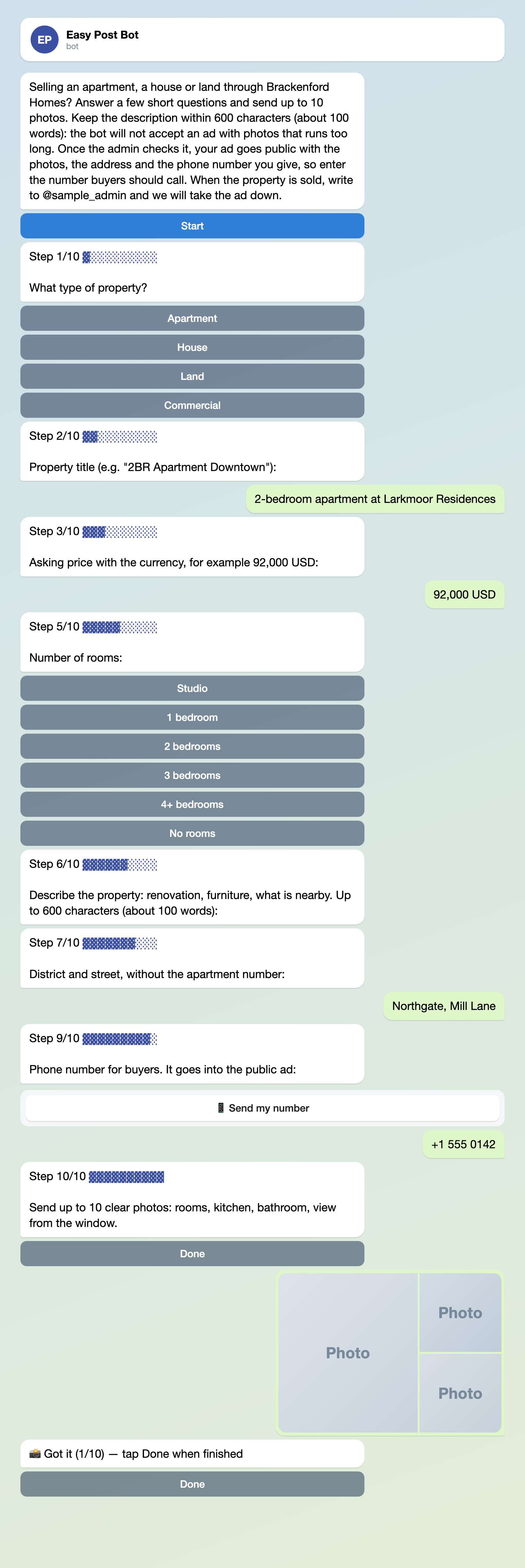
Illustration: some steps are left out; names and data are made up.
Connect your channel: three steps
Approve needs a channel to post to (the car for sale ad form takes the same route).
- On the pipeline page press "Choose a channel in Telegram" in the "Still to do" block; the bot sends a "Choose a channel" button. The page button's link works for 15 minutes; if it expires, press it again.
- Press "Choose a channel" in Telegram, pick your channel and confirm. Telegram lists only channels where you are an administrator who can post; the bot becomes an administrator itself.
- The bot answers "Done" and names the channel. To check, press "Check that the bot can post" in the "Posting access" row of the pipeline page.
Leave "Auto-approve" unticked (the default): ticked, it posts every ad without your review. It is under Actions on the pipeline page, then Edit on the row "Publish to Channel". Connect the channel before you share the seller link: an ad that arrives earlier has no Approve button, and the "Still to do" block disappears with the first ad from anyone but you and your project's Members (see below).
Running channels in several cities? See the UyTap demo case study, where one form sorts ads into seven city channels in Kazakhstan.
Before you press Approve
The card shows no photos and cuts each answer at 300 characters. Its "Review submissions" link opens the Submissions page, your list of ads on the site, with full answers, photo thumbnails and a "Missing: Photos" mark on a waiting ad without photos (in the bot, Done works even before the first photo). Anyone with the link can send an ad, and the form checks none of the following, so you do:
- Photos. Open each: one real apartment, not a developer's render or a screenshot of another ad.
- Numbers. Price, area and floor take any text: check the currency, that the price suits the area and district, and that the floor looks like "5 of 9".
- Repeats: the same apartment from another seller. The Submissions page has no search, so search the channel for the address; one agent's phone number on several apartments is not a repeat.
- Text. No request for a deposit or advance payment and no payment link.
Edit fixes typed answers, not button choices or photos. Approve posts the ad, and the seller gets your Approved Message even if the post failed, so check the channel afterwards. Reject sends your Rejected Message, with no reason. Delete tells the seller nothing and leaves the channel alone.
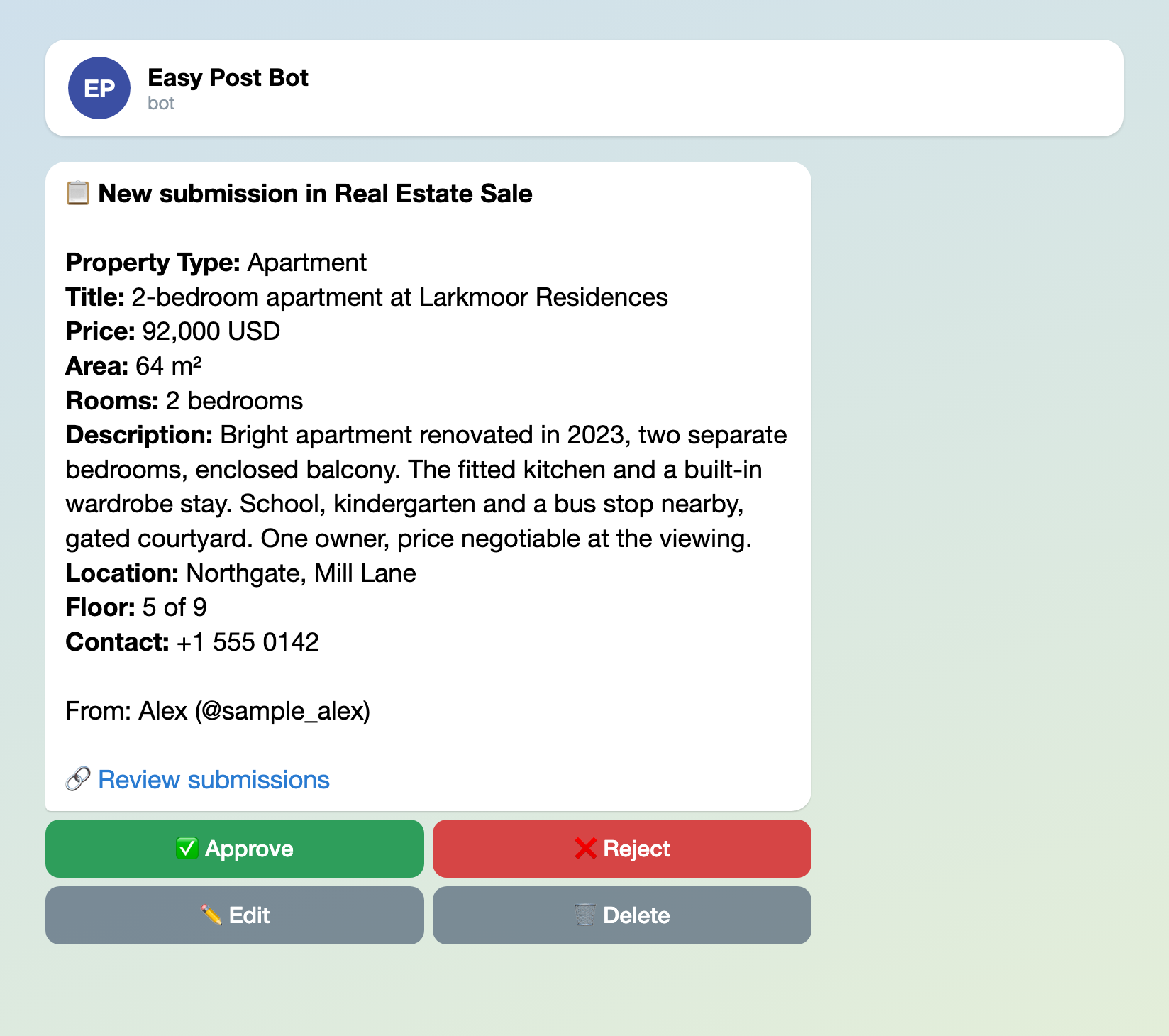
Illustration: names and data are made up.
What goes public and what is kept
After Approve, anyone who can open the channel sees the photos and the whole post, address and phone number included. "Send my number" under the phone question fills in the seller's own Telegram number; a seller who wants another number types it. The seller's name and @username stay on your card, not in the post.
Easy Post also keeps the photos on its site, each at a link that opens without signing in; Reject and Delete do not remove them. If an owner asks you to take the ad down, delete the post in Telegram; no Easy Post button deletes the photo copies on the site.
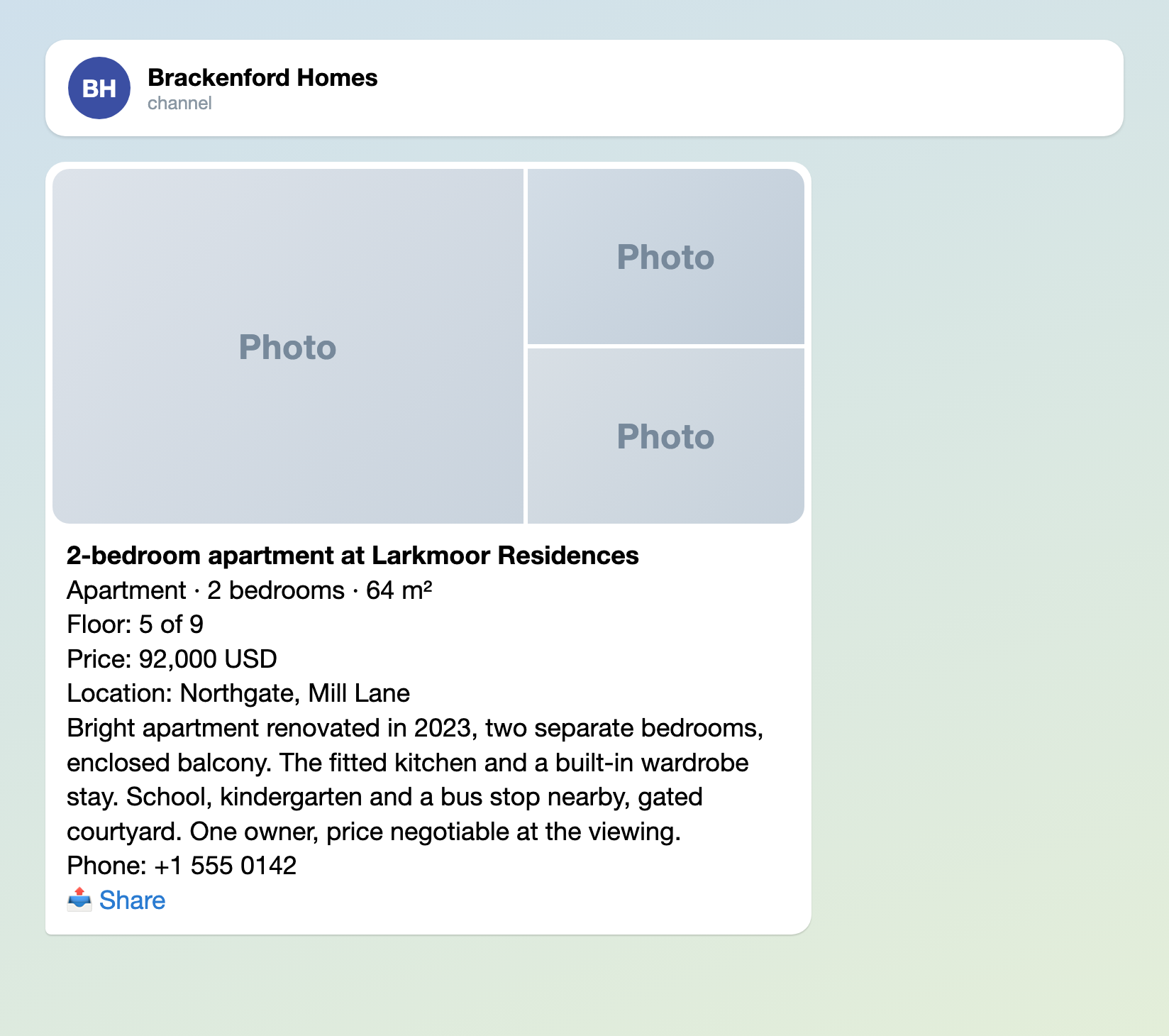
Illustration: the photos are drawn as tiles; names and data are made up.
Limits, the web page and Members
- The template allows 3 ads a day and 5 a month per seller in Telegram, so an agent with ten apartments hits the limit at the fourth ad in a day or the sixth in a month, and nobody tells you. Unfinished, rejected and deleted submissions count too. For agents, set Daily Limit and Monthly Limit under "Submission Limits" in Form Settings, for example 10 and 40 (the same for every seller), and press Save.
- The "Web form" part of the "Where people send submissions" block on the pipeline page (on by default) puts the same questions on a web page. A seller without Telegram can send an ad but will not learn the result: only the bot reports it. Cards from the page have no "From:" line, and Daily Limit and Monthly Limit do not apply there.
- Invite a second moderator with Members on the project page (a project groups your pipelines; its name is at the top of the pipeline page): enter their Easy Post account email and ask them to press "Link Telegram Account" in their profile. A Member can approve, change the form and delete ads; only you invite.
Test it, then share it
Test ads count toward the limits too, so first set Daily Limit and Monthly Limit to at least 10 and 40 and press Save. Press "Open bot" in the "Telegram bot" part of the "Where people send submissions" block, send yourself an ad with photos and press Approve. The ad goes to your real channel and subscribers may get a notification, so delete the post in Telegram at once. "Copy link" in the same part gives the link for sellers: put it in the channel description and a pinned post.
Other forms for similar jobs: car for sale ad form, pet adoption form and dating profile form. All forms are listed by job in the guide to forms in Telegram.
More articles for channel admins, grouped by job, are listed in Telegram channel bots: what to automate.
New to bots? The guide to creating a Telegram bot without code explains the basics.